Showing posts with label wiki. Show all posts

Thursday, 28 July 2011

Digital Literacy - Professional Development Resource

This morning a colleague shared some information with me relating to Digital Literacy after a provider requested some advice for their staff development planning.

Why include Digital Literacy in staff development? This resource answers that as follows:

“Digital literacy is ..coming to the attention of educators as they recognise that not only does the teaching profession have a role in preparing learners for a digital world, but that a sustained engagement with technology and media is now integral to the development of knowledge across disciplines and subjects.

To be digitally literate is to have access to a broad range of skills, practices and cultural resources that you are able to apply to digital tools. It is the ability to make, represent and share meaning in different modes and formats; to create, collaborate and communicate effectively; and to understand how and when digital technologies can best be used to support these processes.”

That’s where this Futurelabs Professional Development Resource comes in. It is designed to support teachers integrate the development of students’ digital literacy into everyday teaching and learning.

The collection of activities, which can be undertaken by a single teacher or a small group of practitioners, is divided into sections. The first section aims to develop practitioners’ understandings of digital literacy and its relevance to their own contexts. The materials in the second, third and fourth sections are designed to help teachers plan activities they can integrate into their everyday teaching to support students to develop both subject knowledge and digital literacy.

These sections include practical ideas for the classroom, including explorations of free web based tools and activities to support planning.

This looks like a really useful tool and should prove helpful to anyone who wants to ensure that they cover the main components of digital literacy in their own staff development activities. It is essentially aimed at teachers but could easily be just as useful to other teaching staff. If not used as a complete resource, it still has useful sections on:

· Making short films
· Creating animations
· Making podcasts
· Creating a wiki
· Creating a website
· Free Online Tools Resource Bank

Thanks to Matt Gallon, our Learning Resources Advisor, for sharing.


To read more of Wobble click here.

Tuesday, 14 December 2010

Calling all Aspiring Authors...!

I’ve been asked to share the information below regarding the information pages that make up the RSC wiki. Anyone interested in contributing their e-learning knowledge and earning a tidy twenty pounds in the process, please read on...

The RSC West Midlands Wiki has been developing for a few years and is an increasingly popular source of information on RSC events and projects, as well as articles covering different areas of the RSC remit. It currently receives over 4000 page hits per month.

Until now, the majority of articles have been produced by the RSC team, but we'd like to remind you that contributions are particularly welcome from the RSC West Midlands community - in any of these subject areas:

· E-learning technology
· Learning Resources
· Strategy and Management
· Accessibility
· Teaching and learning

Make Your Contribution
As an incentive to article authors, we are currently offering a £20 Amazon voucher to the authors of the next five articles published (maximum one per applicant). If you'd like to take part, have a think about an e-learning topic you'd like to write about (within the categories as above) and send your idea to Matt Gallon: m.gallon@rsc-wm.ac.uk From there Matt will be happy to contact you to discuss words counts, format etc.

The wiki this can be a great way to share knowledge especially if there is an area of e-learning that you are particularly conversant with. My colleagues, our learning providers and myself use this as as source of reference regularly. We look forward to reading your contributions..!

__________________

Related Wobble links:

An Quick Introduction to Wikis


To read more of Wobble click here.

Wednesday, 28 October 2009

Greener Computing

One of our E-Learning Advisers (Jane Edwards) has recently been looking at ways that learning providers can both save money and work more efficiently by thinking more about sustainable computing; something also referred to as Green ICT. It is a large area and one that is currently attracting a lot of funding and is the subject of much research.

To help to make sense of all of the available information and to make it easier for regional providers to know where to start, Jane has set up a page on our wiki which brings together a number of key resources.

She notes: “...Whether you are a manager, or a lecturer..., there is no avoiding the fact that matters concerning the environment affect everyone.
The government wants to reduce carbon emissions by 1.2 million tonnes of carbon per year until 2020 and to help it achieve this, it has introduced the Carbon Reduction Commitment (CRC) - a compulsory trading scheme to encourage large businesses and public sector organisations to reduce their CO2 emissions. In any case, it is obvious that by reducing energy use and using ICT more efficiently, you also reduce your energy bills; and you may also be genuinely interested in how carbon emissions affect the world we live in.

On this page you will find information on green agenda government papers, green ICT events and other useful links for the education sector.”

The wiki page is available here.

If you are keen to learn more about ways that your organisation can become greener in the ways it uses technology contact Jane by email or phone.


To read more of Wobble click here.
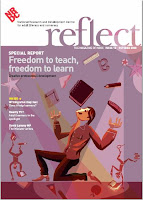
Image “Don’t forget to recycle” courtesy of Pylon757

Wednesday, 26 November 2008

Relect on the use of Blogs and Wikis

In the latest issue of Reflect, Liz Boyden suggests some ways of using Web 2.0 technologies in the classroom. She covers blogs and wikis so if you haven’t used any of these tools yourself, want to know more or want some ideas of how they might be used by learners, then this is a good article to read.

I particularly like how Liz uses Tumblr, a blog that enables learners to put short multimedia posts on their own webspace, including photos, text, video clips and sound files. For work based learning, this could be particularly useful for also hosting the kinds of electronic information that currently goes into an e-portfolio.

Liz notes:

“….Tumblr was the most successful blog application used in the project. It has a visually attractive layout and potential for learners to create a professional-looking webspace … Learners could post photos from Google images and then make a text post explaining the image. A particularly successful use of Tumblr was as a daily online diary when learners were on work experience.”

As well as reading the article, you can also watch a short video on Liz’s own blog to hear more about their learners using their new Tumblogs.

In the article, Liz also gives some good hints and tips for using blogs and wikis, much of which also links in nicely with the advice JISC Legal gave last month regarding legal implications of using web 2.0 tools.

There’s clearly some good work going on at the Project Experimental Teaching (PET) project and I look forward to reading more about how it develops!

Wednesday, 28 May 2008

Free Software Options for Work Based Learning

A very big thanks to Derrin Kent of the Development Manager, who recently presented a session on free software at our online conference. Derrin kindly donated much of his time to present information and answer questions on free and open source software, showing how these tools can be used to enhance provision in the work based learning sector. He also shared a number of excellent resources some of which I'll shortly make available on our RSC wiki .

Derrins session presented a wide-ranging “training toolkit” of software applications – all available at zero financial cost. With his many years' educational management experience, Derrin perfectly understood the concerns with using free software and nicely contextualised the area, addressing both managers and trainers concerns. He also offerred a very long list of things that are currently available and can be adopted and used for free.

If you’re interested in discovering ways that your organisation might be able to make use of free software I’d suggest Derrin would be useful to know. His details are available on his website along with just a few reasons why so many of us all think that free software is increasingly becoming the way to go.

Wednesday, 13 February 2008

Using Google for your Surveys

Yesterday I spent some time playing with a new survey tool in Google Spreadsheets. (Thanks to Darren Draper for sharing this tip)

In his post he describes how we can create online surveys using Google Spreadsheets forms feature and shows us with illustrations just how easy it is to set one up. The post highlights the fact that results can also be viewed in real time and should you wish, they can also be embedded directly into a webpage.

This sounded like a great idea so I got my RSC colleagues to help me with a very quick sample of my own. So the very simple “what did you have for breakfast survey” is here - if you want to answer its two questions and see how it works feel free – it’s open to anyone. Because this survey is published live, you should see your results on a web page here and also in the live spreadsheet that I’ve embedded below. (Might have to wait a short while though, republishes every five minutes)


Like Darren I think this tool has a lot of potential. For example, a couple of possible applications of this tool within the sector are:

  • Induction - Interactive questionnaire for learners and employers checking accessibility to hardware and broadband connection, survey link delivered via email.

  • Internal/External Verification - Online Quality Assurance questionnaires used for sampling learners and employers.

(Both those tips are based on Innovate’s Examples of the Use of Technology in Work Based Learning).

I have used various other free survey tools previously (just one example here) but was very impressed with just how easy this Google one was to set up. With all of the collaborative tools built into Google spreadsheets and traditional spreadsheet functionality at your fingertips it’s potentially very powerful too. It’s something I will certainly use myself. In the meantime I’ll be adding this link to the Google Docs and Spreadsheets page of our RSC Wiki.

Thanks to Darren for sharing and to Stephen for signposting.